

Lessons learned from making video tutorials in the age of AI: how I rebuilt ours with an agent, what changed in the work, what it costs, and the method, step by step.
In the winter of 2016, I used to get to the office early, before anyone else arrived. I needed quiet to record the videos explaining GoodBarber v3, a major release that had just shipped. We had no studio, so I set up in a meeting room, started the screen recording and walked through the tutorial live, with all the back-and-forth that comes with it. Then came the editing, and it was long: fixing the fumbles, cutting everything that didn’t get to the point, keeping a pace that wouldn’t bore anyone. When I started, a four-minute video took me a full day. With practice, it came down to two hours for a simple feature and half a day for the most complex ones.
On September 30, the first tutorial out of our new tutorial factory was ready eight minutes after I gave the go-ahead. Eight days later, fourteen videos were recorded, in English, with subtitles in ten languages. Somewhere between the two, I realized I finally had an answer to a problem I had known about for years. The hard part of video tutorials was never making them. It’s keeping them up to date when the product never stops changing.
The formats I tried
I’ve always believed video tutorials are useful, and I’ve always tried to make them as good as I could, even though it is (spoiler: was!) extremely time-consuming. I liked the 2016 format: I introduced the topic on camera, then a screen recording showed how to do it in the product. Two shots, one on the screen and one on me, to keep it lively. People responded. The video on the home page widgets got 31 comments, the one on publishing to Google Play 15, the one on navigation modes 19. Across the twenty-two videos in that series, no fewer than 172 comments. Plenty of reason to keep going.
I drew a rule from it: rather than long tutorials, lots of short videos, each on one specific point, so everyone could find the part they needed on our channel. It was also a way to keep the shoot manageable. Before every recording, I had to prepare a demo app. A tutorial is a progression: a mistake halfway through meant going back and redoing the take in a way that could still be stitched together in the edit, and that was expensive. I sometimes even avoided showing certain settings, because they were too hard to undo once applied.
In 2020, I handed production over to someone on the team, with one instruction: keep videos under two minutes, to make the process simpler. We published 89 that year: a manual screen recording, a human voice laid over it, uneven sound, and editing to sync the voice with the screen. Those are the videos we’re replacing today.
What kills a tutorial catalog
Like every SaaS product, ours keeps evolving. Menus change, screens change, and when we shipped v4 of the product, the videos became wrong overnight. The trouble actually starts before the release: as a new version approaches, you hesitate to shoot tutorials it will soon make obsolete. After the release, you wait a little longer for the interface to settle. A lot of inertia builds up. YouTube doesn’t help: you can’t update a video there, you have to publish a new one, which starts from zero. All the accumulated work became obsolete, and with it the search ranking the old videos had earned. I couldn’t bring myself to start another round of shooting and editing; it took far too much time.
The cost of not updating the videos shows in our numbers too. In 2020, YouTube brought in 4.2% of our app creations; in 2025, 0.5%. The channel hadn’t published a tutorial since 2022. I’m careful not to call that a direct cause: someone watching a tutorial has usually already created their app. But a knock-on effect is plausible, and a way in went dark while we stopped looking after it.
Why I came back to it
Two things brought me back to the topic. First, we’ve just completely redesigned our back office interface. Every tutorial became wrong at once: it was time to remake them, or take them down.
Second, what AI models can do today. People think first of synthetic voices and avatars; that’s not what convinced me. What convinced me was an agent that can walk through the interface and work out how it functions, read the code behind each page to pin down what a feature actually covers, explore the help center, and then, and this is the key part, write the step-by-step script a browser will replay as many times as needed.
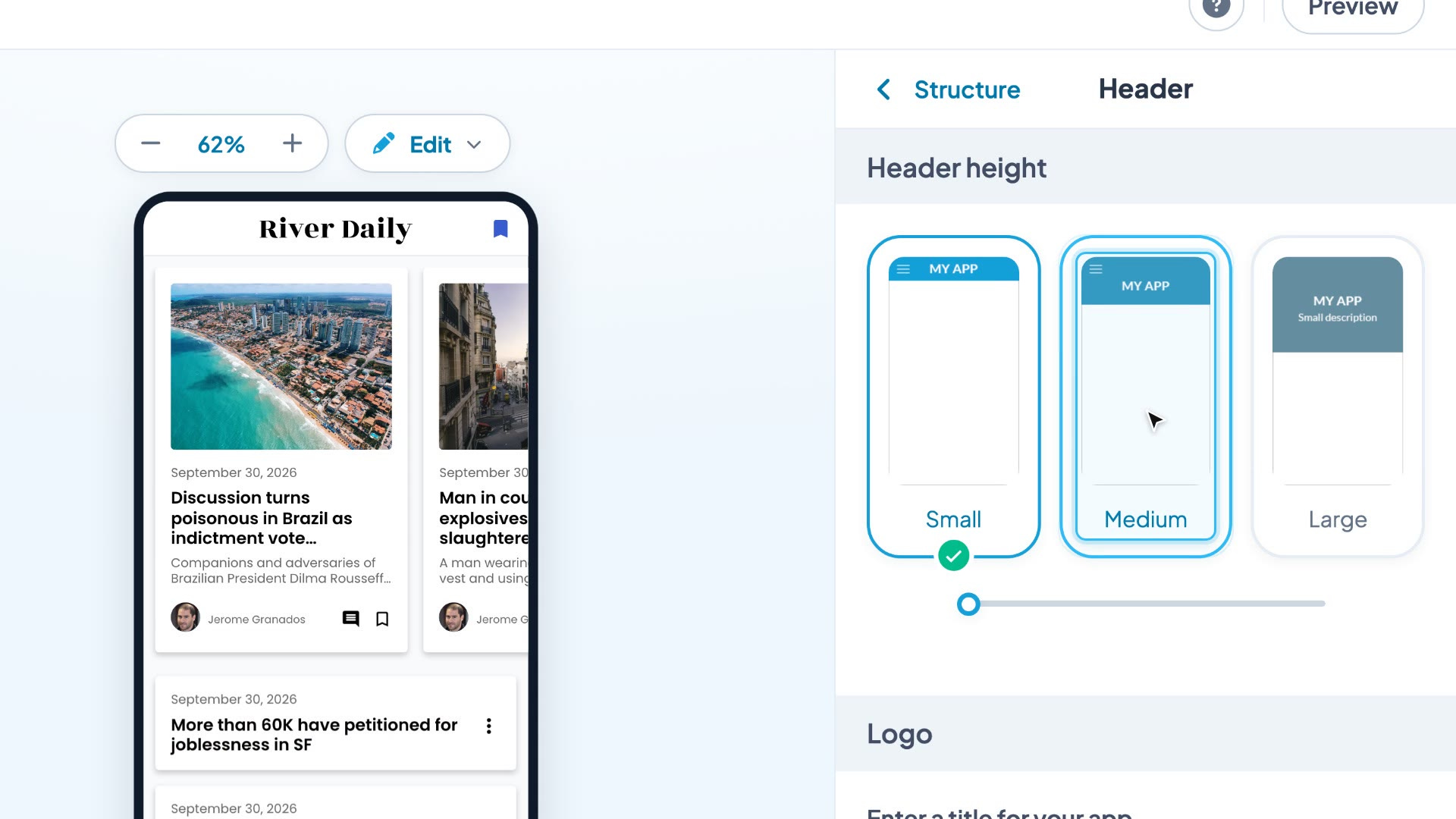
I started by looking at how others were doing it: experience reports on Reddit and elsewhere, the tools on the market, the setups practitioners share. Clay Ferguson‘s approach won me over: his videos aren’t filmed, they’re narrated slideshows generated from his own software’s automated tests. Each step is an annotated screenshot. I took my cue from it.
That research also ruled out two ideas that sounded good. Filming an agent while it performs the tutorial: the raw recording isn’t publishable, with no cursor, dead time, detours, and never the same path twice. And the avatar: I hesitated, then chose to get straight to the point rather than add a synthetic face, which pulls the eye away from the interface and which viewers won’t feel any connection to. My 2016 format counted on my face to keep things lively and to build closeness, and it worked: at trade shows, customers told me more than once that they followed my videos. Today I think that, for a tutorial, the interface speaks for itself: a real face would be a plus, not a requirement.
The recipe today
The video is no longer the original: it’s the render of a script. On the tooling side, a few building blocks are enough: the agent, Claude Opus 5.5 in Claude Code, guided by a set of skills; Playwright, which drives the browser; Kokoro, a free speech synthesis model that runs locally; ffmpeg, which assembles the video; and a small in-house Python engine that orchestrates it all. The workflow comes down to seven steps, each carried by a skill anyone on the team can run from their own machine.
The topic. I give the theme: a feature, a question people ask.
The research. When the job is to remake an existing video, an agent first reads its transcript. Then it goes through the help center articles in every language, the blog, the code of the back office and the apps, and finally the interface of the demo app I’ve chosen. It turns all that into a brief, and I decide the scope: one video or a series. One rule holds everything together: only what you can see in the interface goes into the narration; the code and the help center are there to check, never to quote.
The script. The agent writes the walkthrough, one line per step: the screen, the action, the framing, the sentence to say. I read it and approve it before anything gets rendered. When it remakes an old video, it starts from that video’s transcript: nothing the original covered disappears without a decision. And I can ask it to go further than the original, to show what it left out or to go deeper into the details.
The replay. The browser replays the script in the demo app, captures each step in 4K and frames the element to act on. That demo app can be reused endlessly. When a video needs content the app doesn’t have, the agent adds it; at the end, it puts every setting back and removes whatever the next videos won’t need. How does it know? It asks me. That’s also what I was missing in 2016: I can now apply a setting on screen that I would have avoided back then, because the agent undoes it afterwards.
The voice and the render. Kokoro generates the narration, in English. For the editing, our design team equipped our marketing repo with a motion guide,
motion.md, which the agent applies at render time: it is to video what a design system is to the pages of an interface.The languages. An agent translates the subtitles, the title and the description into each of the ten other languages, another agent reviews them, then an automated check makes sure no subtitle runs faster than 17 characters per second or longer than two lines of 42. The thumbnail is rendered in each language.
Publishing. The video is uploaded to YouTube as private, and I’m the one who makes it public. The agent adds its titles, its descriptions, the eleven subtitle tracks and the thumbnails. Then comes everything that pointed to the old video: our tutorials are also embedded in site pages, help articles and blog posts. The agent swaps in the new video wherever the old one appeared. Finally, it doesn’t delete the old one: it sets it to “unlisted”, with a link to the new video at the top of its description. The old video drops out of search and off the channel, but anyone who finds it through an old link is sent on to the right version.
Here are three rules from that motion guide:
Movements that start fast and land softly, one thing at a time, and always a single thing in focus. Motion guides the eye to what matters; it never decorates.
Zoom is geometric, never linear, and the target point glides steadily toward the center as you approach it. Beyond ×2, the interface is redrawn at its final size, never by enlarging an image.
Never blur what is being read.
And one rule specific to tutorials: the camera stays still between two movements, because viewers read the screen and pause to repeat the action. It only moves to show what’s out of frame, or to zoom in from the wide shot.
One of the fourteen tutorials, rendered from its script.
What changed
Before: two hours to half a day per video, a full day when I started, for a video the next redesign would make wrong. Now: under half an hour on my side, to approve the script, watch the video, upload it, check that it went live and make sure the old pages point to the new one. My time per video is cut by at least four. The agent, for its part, works an hour to an hour and a half per video, translations included, and the render takes a few minutes. A fix no longer means a retake: I flag the issue to the agent, and the corrected version arrives about ten minutes later. A filmed video ages. A script can be replayed.
That agent time has a price: at public API rates, about a hundred dollars per video, all in, from building the factory to publishing. I haven’t tried to bring that bill down yet: my goal was first to find a solution that was acceptable on quality, not on cost. There’s room. A quick analysis already showed me that nearly two thirds of the bill pays for the agent re-reading its context on every turn: that’s where the savings are. Going after them will be a project of its own, and no less interesting.
One clarification on the voice. At first, I wanted an audio track in each language on top of the subtitles, and the first test showed it was within reach: once the script is written, an extra language costs only half a minute of compute. I still chose a single voice, in English, with subtitles in the ten other languages: the local model speaks English well, and one voice per language brings its own pronunciation problems. I’m not ruling out exploring multilingual voices with a more polished tool, but one trade-off will remain: does a French voice describing an English interface make sense? I wouldn’t redo a recording for each language with the back office translated. Technically, nothing prevents it; it’s distribution on YouTube that raises questions, and it isn’t common practice today.
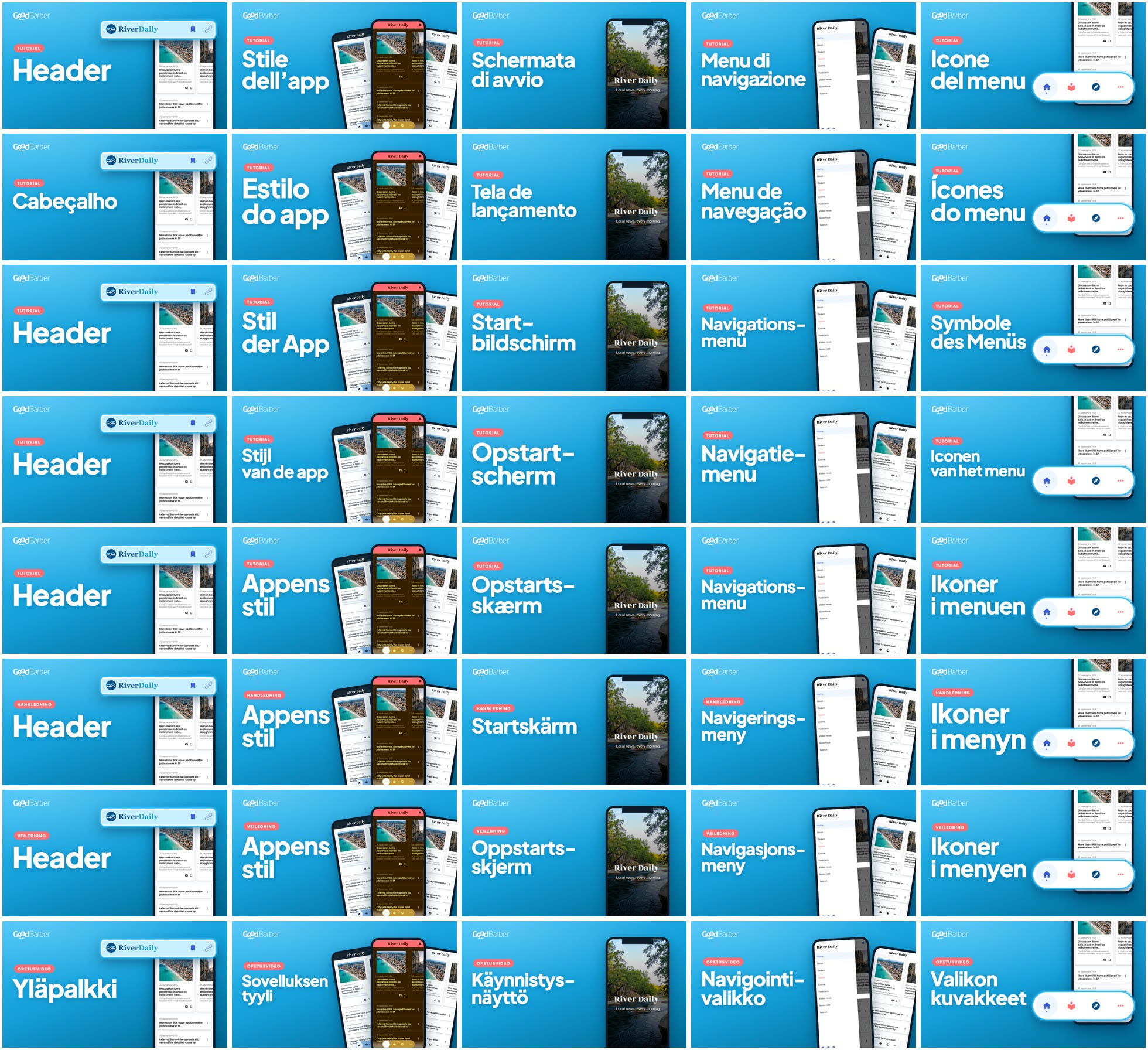
I’ve also changed my mind about my old rule of short videos, one per specific point. The factory produces one video per feature, covering everything it offers, and splits it into a series beyond five minutes. When shooting becomes fast and precise, when the agent explores the whole interface and describes it effortlessly, and when chapters generate themselves, covering a topic in full is worth more than chopping it up. Short videos were an answer to the cost of shooting. I’m convinced viewers prefer a video that goes deep, but that’s a conviction, not yet a measurement. Retention on the new videos will tell, and I’ll update this post to confirm it or prove it wrong.
What I don’t know yet
I don’t know whether these tutorials will succeed: views from YouTube search and retention will tell in a few weeks. Nor do I know whether a synthetic voice holds attention as well as a human one, and the question of a voice per language remains open. These answers will be added to this post, like the one on longer videos.
Before you remake your tutorials
Start from the original video’s transcript, or the remake will lose what it covered.
Have the script written, steps and lines, and approve it before rendering.
Put only what’s visible on screen into the narration; the code and the help center are for checking.
Replay in a reusable demo app that the agent restores after every render.
Write your framing and camera-movement rules once, and have the render apply them.
Keep the script as the single source of truth: you fix the script, never the video.
Don’t delete the old video: set it to unlisted, with a link to the new one at the top of its description.
If your tutorials age faster than you can shoot them, stop shooting them. Write them, and let the machine render them.